
What you need to know
- One UI 8.5 brings major AI upgrades, improved photo editing, and better cross-device sharing features.
- Samsung adds new Theft Protection tools and a redesigned UI with 3D icons and a customizable Quick Settings panel.
- Storage Share lets users access files across Galaxy phones, tablets, PCs, and even Samsung TVs.
- The One UI 8.5 beta is live for Galaxy S25 models in select regions, with more devices expected to join soon.
Enjoy our content? Make sure to set Android Central as a preferred source in Google Search, and find out why you should so that you can stay up-to-date on the latest news, reviews, features, and more.
Just a few days after the full changelog of One UI 8.5 leaked, Samsung has officially announced the One UI 8.5 public beta for the Galaxy S25 series.
Samsung, in a press release, notes that One UI 8.5 brings new and easier ways to create, connect, and stay safe. While the ".5" version number may seem small, One UI 8.5 is a major update for Galaxy smartphones. Here's everything new and how you can get it on your Galaxy S25 series phone right now.
One UI 8.5 beta for Galaxy S25 series: New features
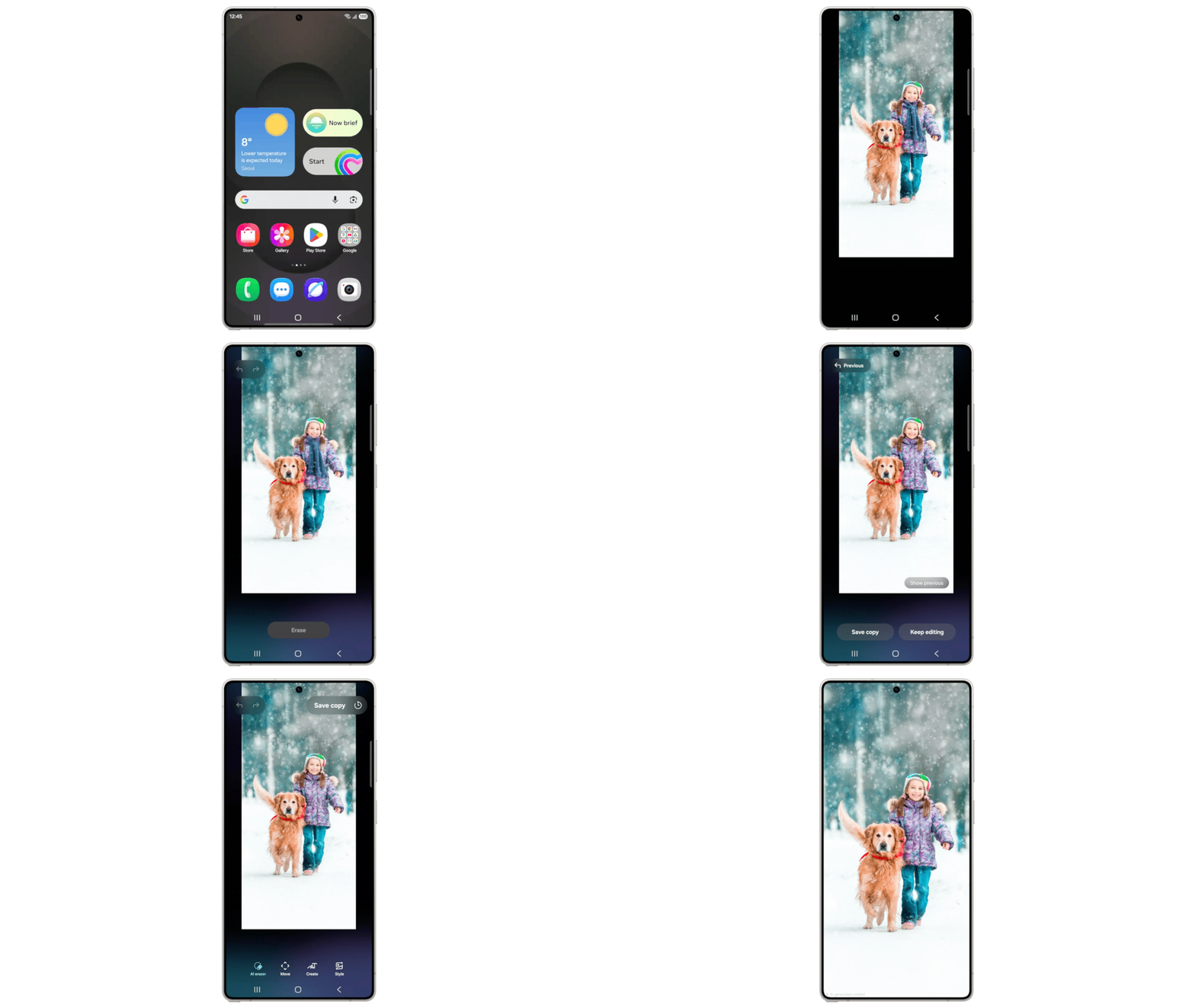
Starting with the changes, Samsung says One UI 8.5 brings new Galaxy AI features to the series, including an updated Photo Assist. You can now edit photos continuously without saving each iteration on your device. This means you can use AI Eraser, then move or restyle the image using Photo Assist without having to save it first.
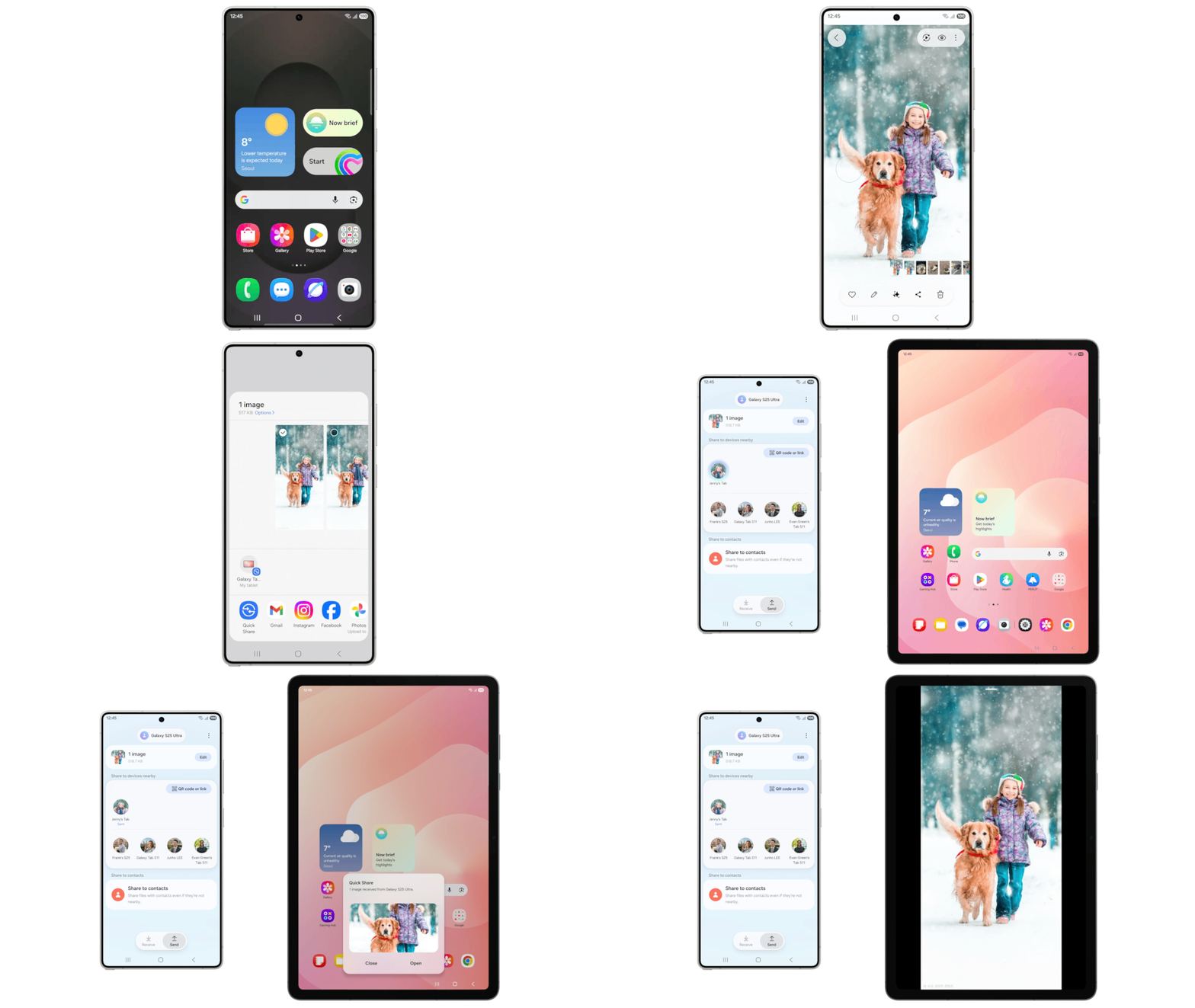
There are many improvements to Quick Share as well. One UI will now show your most frequently contacted people with photos and surface them directly as share suggestions. There are better cross-device features too, such as Audio Broadcast, which lets you share one device's audio to many devices at once through BT LE Audio using Auracast.
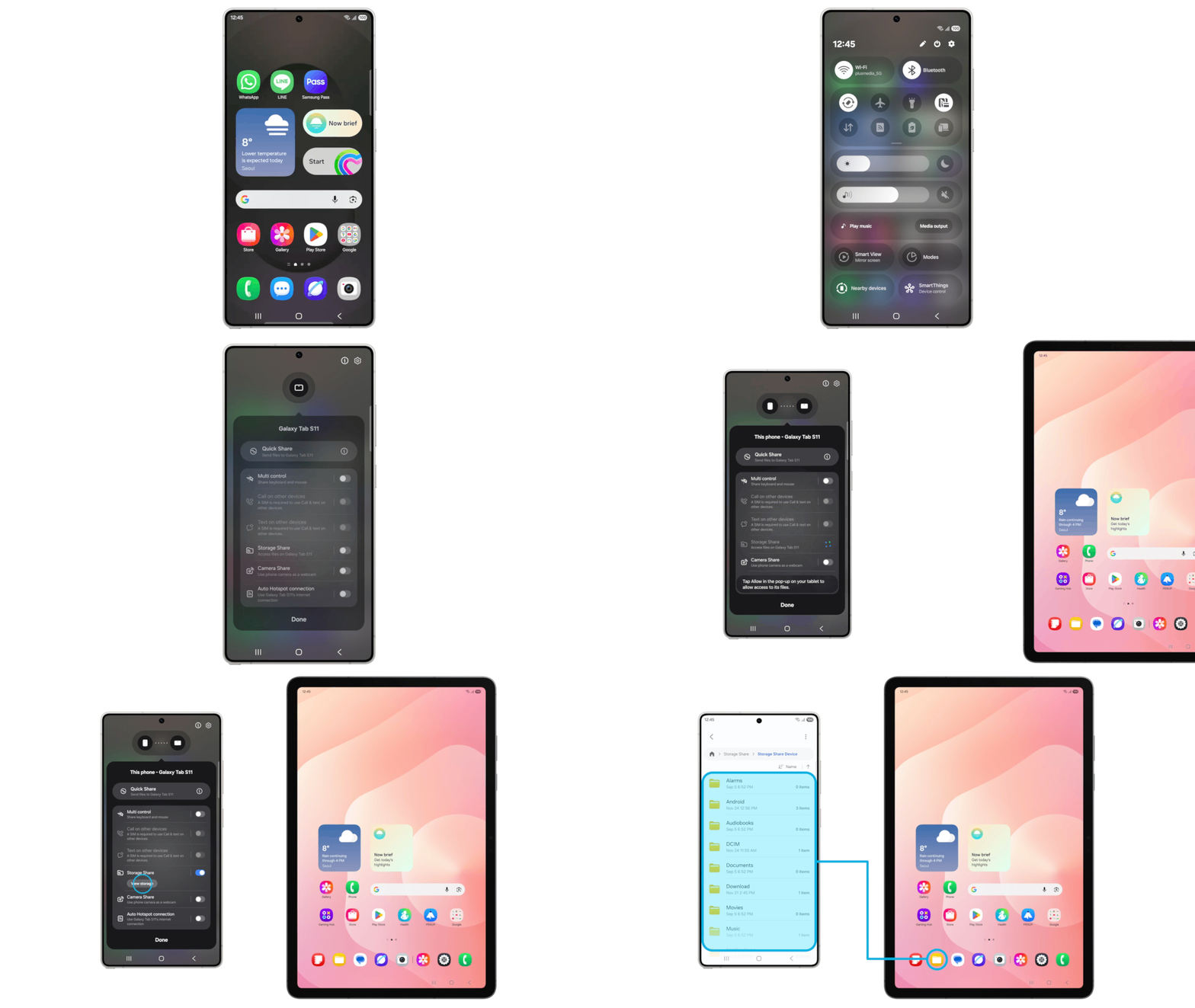
A new feature called Storage Share will now let you see files from other Galaxy devices, including tablets and PCs, directly in the My Files app. You can even access your phone's files from other Samsung devices, including your TV.
For security, One UI 8.5 adds new anti-theft tools. The new Theft Protection feature keeps your data safe even during theft, while Failed Authentication Lock automatically locks the screen if there are too many failed attempts using fingerprint, PIN, or password.
There are UI changes too, such as a new 3D look for app icons and a customizable Quick Settings panel. Many apps, including Calculator, Clock, and Samsung Health, have been redesigned for better visuals.
One UI 8.5 beta for Galaxy S25 series: Availability and how to download
As expected, the One UI 8.5 beta is currently live only for Galaxy S25 series smartphones. This means if you have the Galaxy S25, Galaxy S25 Plus, or Galaxy S25 Ultra, you can try One UI 8.5 beta right now.
For now, the beta is available only in select regions, including Germany, India, Korea, Poland, the UK, and the U.S. If you have a Galaxy S25 series phone in any of these regions, you can try One UI 8.5 by joining the beta via the Samsung Members app by tapping the banner. Then go to Settings > Software update > Download & install.
It's worth noting that the beta isn't available for the Galaxy S25 FE or the ultra-slim Galaxy S25 Edge yet. Although we expect Samsung to expand the beta to more devices in the coming days.

