

In his weekly column, Android Central Senior Content Producer Nick Sutrich delves into all things VR, from new hardware to new games, upcoming technologies, and so much more.
When I got my iPhone 17 Pro Max a few weeks ago, I couldn't wait to tear open the box. No, that's not because I love using iPhones — quite the opposite, really. It was because I couldn't wait to test out the spatial photo and video capture that comes built-in to the phone's camera app.
You see, when Apple launched the Vision Pro in 2024, it understood that most people with a Vision Pro wouldn't wear them on their heads 24/7 and, therefore, wouldn't use its powerful spatial cameras to capture everyday memories. That type of experience is reserved for the phones in our pockets, and recent iPhone models can capture this kind of content.
On the Android side of things, the only way to capture spatial photos or video is to buy an Xreal Beam Pro. This neat little gadget is perfect when paired with a pair of Xreal One glasses, and it's also perfect for capturing spatial photos and video of any kind throughout your day. The obvious problem is that it's a second device you'd have to remember to charge and take with you at all times, and that's just not realistic for most people.
Enjoy our content? Make sure to set Android Central as a preferred source in Google Search, and find out why you should so that you can stay up-to-date on the latest news, reviews, features, and more.
A spatial future

Last month, Google and Samsung launched the new Android XR operating system alongside the Samsung Galaxy XR headset, ushering in a new era for VR headsets. The new OS can run all Android apps in VR space, making it the best new XR operating system and outpacing both Meta and Apple in this particular metric.
Galaxy XR is an entertainment powerhouse, and one of the pillars Google touts of this experience is the ability to view 3D — better known as "spatial" these days — photos and video right in the headset. The problem is that no modern Android phone can record 3D photos or videos, just the ancient EVO 3D and, of course, the Xreal Beam Pro sidekick device.
Google attempted to solve this problem through the magic of AI by automatically converting existing 2D photos and videos to 3D, but the end result isn't quite as good as if it were captured natively with a binocular phone camera system.
Meta introduced a similar feature back in May, which includes automatically converting Instagram content to 3D as you scroll. The effect is quite impressive, although again, it's not quite as good as if you were watching native 3D or spatial content.
For that, you'll need an iPhone 15, 16, or newer iPhone 17. Not only do these phones capture spatial photos and video impressively well, but the Meta Horizon app makes it dead simple to import them onto your Meta Quest headset.
To do this, open the Meta Horizon app on your iPhone, select the menu button in the top-left corner, tap gallery, then click the upload button in the top right. Once you give the app access to your camera roll, you can slide over to the Spatial tab and easily select any spatial photos and videos you've captured on your iPhone.

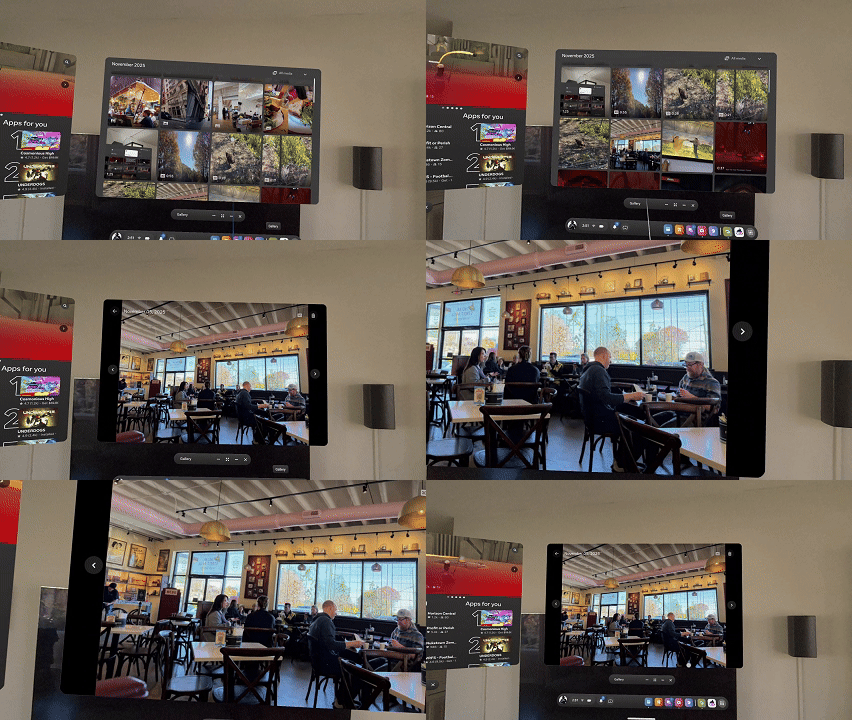
On the Android side of things, the instructions are the same, but there's no Spatial tab to be seen. Even on the Xreal Beam Pro, I don't have a Spatial option, as the app doesn't recognize the 3D side-by-side content the device captures as "spatial" photos or video. Rather, it thinks these are panoramas, and that's reflected in the in-headset experience.
Now, I can load a gallery app on the Meta Quest that allows me to view side-by-side photos as 3D images, but I have no way of natively viewing them with the built-in gallery app or uploading 3D video natively through the Meta Horizon app. That all seems to be locked to iOS because of Apple's official spatial capture standard.
Another green bubble for Android

This is where Google needs to catch up. Without a properly supported standard, Android users are effectively stuck in "green bubble land" again, just using a different subject matter. At the very least, Samsung introduced a hidden feature in its Camera Assistant app that lets you capture 3D pictures and video specifically for Galaxy XR, but I don't understand why Samsung wants to hide it so badly. This should be a standard mode or feature on all Samsung phones.
The worst part is that Samsung has already one-upped Apple by offering users high-quality selections for 3D video and photos. Even better, the Galaxy S25 Ultra can capture 4K spatial video, while even the mighty iPhone 17 Pro Max tops out at 1080p. Again, why hide such a fantastic feature? I just don't get it.
The images I captured using this feature on a Galaxy S25 Ultra upload just fine to the Meta Quest app, but videos aren't selectable at all yet. That one's on Meta, but it still shows that Android users have to jump through unnecessary hoops to get a second-rate experience compared to how things are on an iPhone, and I hate that.

