DEAL OF THE DAY: Save 37% on the Seidio SURFACE Case for Samsung Galaxy S4!

What is a QR Code?

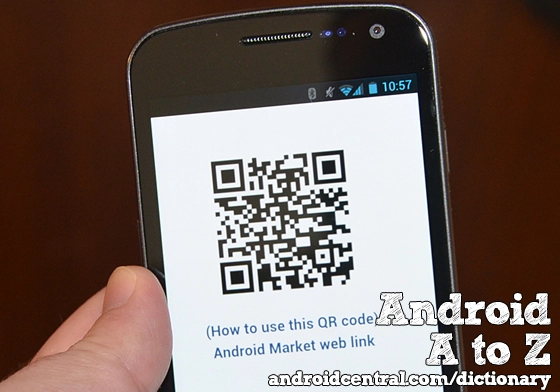
What is a QR code? These things are everywhere nowadays. Little square barcode-looking things. They're on website, they're on pictures, they're on advertisements -- they're everywhere. So what's a QR code and what do you do with it?

In a nutshell, a Quick Response Code is used to tell your phone to do something. Invented by Toyota in the mid-1990s, they "store" more information than traditional UPC barcodes and work better with languages more complicated than English. (Which is to say, most of them, especially in Asia.)

The way it works is this: Using a scanning app (there's Google's own Goggles app, or plenty of others in the Android Market), your phone's camera scans the code and then interprets it. There are different versions of QR codes, which can contain different amounts of information. 

Most often, QR codes are used to link to a website or video or some other online content. Your scanning app should preview the link for you as a safety feature so that you can't be automatically redirected to a malicious (or otherwise untoward) website or video.

Here at Android Central, you'll regularly find QR codes to quickly link to applications in the Android Market.

Previously on Android A to Z: What is a PRL?; Find more in the Android Dictionary

More from the Android Dictionary

Haptic feedback
Article
by Jerry Hildenbrand
Jun 05, 2012
We're back with another installment of Android A to Z, and this time we're looking at haptic feedback. It's one of those little things that can make a big difference, and something we ne...
Google Play
Article
by Jerry Hildenbrand
May 30, 2012
Today on Android A to Z we're going to talk about Google Play. If you're new to Android, you see us throw it around a lot when talking about downloading apps, but there's a good bit more...
Factor Reset
Article
by Jerry Hildenbrand
May 29, 2012
A factory reset is the ultimate cleansing of your Android device. It's usually either a last resort to fix a problem, done before you sell it, or because you like to flash ROMs. When you perform...
End of life
Article
by Jerry Hildenbrand
May 25, 2012
End of life is a term none of us ever want to hear. We envision it means the death of our phone, and we should just throw it away and get a newer model. After all, it's at the end of its life, r...
DLNA
Article
by Jerry Hildenbrand
May 24, 2012
DLNA, or the Digital Living Network Alliance is an organization set up by Sony in 2003 that determines a universal set of rules and guidelines so devices can share digital media. The devices co...

 
There are 6 comments

mjneid says:

In case you guys were wondering the QR code in the picture takes you to "pure lounge" in the Android App Market.

icebike says:

Most of the Android Scanning apps (and Apple too) are also share targets, which means you can share a web address or Contact or Calendar event to your phone's screen as a QR code for your friend to scan.

Fast instant sharing without having to send an email or SMS or give away your email/phone number.

One caveat: Sharing a Calendar event works between Android devices, but share one to an iPhone and the iPhone app drops the timezone conversion and your appointments show in the wee hours for those of us in North America.

This page lets you generate and print QR codes from your computer for a lot of different things: http://www.qrstuff.com/

The WIFI log in is especially useful, because you can share a login but the user never actually gets to see the password. Great for seminars and stuff, but iPhone does not support it, and there is always one of those guys in the crowd.

ecaggiani says:

QR codes are immensely useful. Think about putting one on your business card with your contact info. Great and easy way to add someone's contact info to your phone. http://www.QRCNow.com let's you create a QR code and then print it on business cards, t-shirts, etc.

My favorite is a t-shirt I have with the "Hello my name is" sticker on it and a QR code as the name :-)

IceDree says:

NQR codes are very useful, it helped me allot

I didn't know Toyota invented them , we learn something new everyday

Thanks Phil, we really appreciate it

Please em coming

Nechasin says:

I saw a QR code on a billboard driving to work this morning. Not sure how to scan that code while I'm driving. I'm wondering if the marketing company has a full grasp of the idea behind the QR code.

icebike says:

Try car pooling. Problem solved.