
What you need to know
- NotebookLM can now search the web and recommend sources automatically, reducing the manual work of gathering references.
- A new cloud-based system lets NotebookLM perform background tasks and generate files beyond simple summaries.
- Users can now create and export PDFs, spreadsheets, charts, images, presentations, and more from within NotebookLM.
- Google says the new Gemini 3.5 and Antigravity models improve accuracy and better handle complex projects.
Google is turning NotebookLM into something much bigger than a document chatbot. The company has announced a major upgrade designed to make research easier, faster, and more reliable, as well as giving the AI assistant new powers that extend past summarizing notes.
The biggest difference is how NotebookLM searches for information. Until now, the tool was mostly relying on files and sources uploaded by users. That method reduced AI hallucinations because the responses remained anchored in trusted material, but it also meant that users had to do the hard work of collecting references.
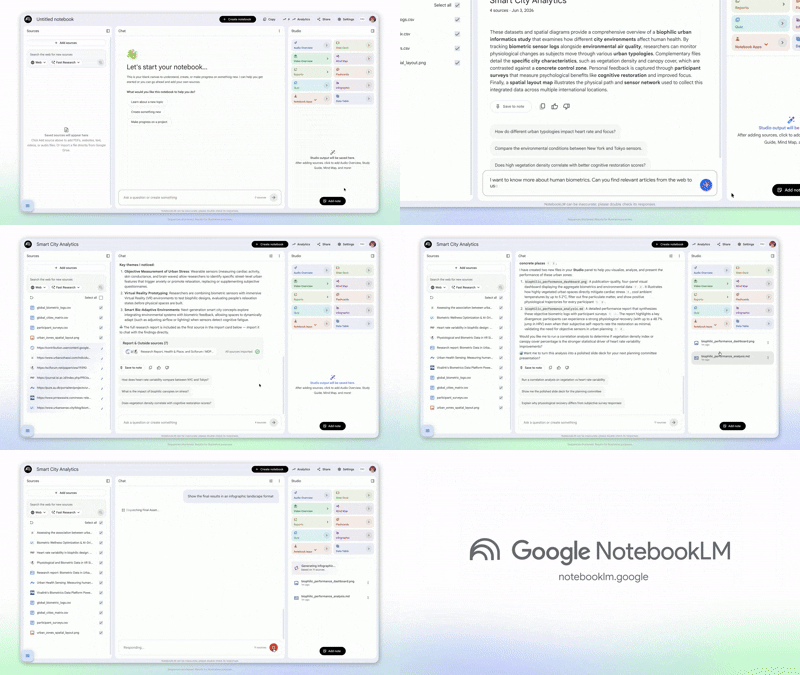
Now Google is changing that. NotebookLM can also locate sources on a topic you'd like to explore and automatically search the web for related information. You can just tell NotebookLM what you’re researching, and it’ll compile a jumping-off point rather than going off and searching for articles, papers, and websites yourself.
This feature is an extension of NotebookLM’s original goal of being an AI-powered research companion. The service has distinguished itself from traditional chatbots since its 2023 debut by focusing on source-backed answers rather than broad internet responses. Users can upload PDFs, websites, videos, and documents and then ask questions particular to the material.
Additionally, Google is providing NotebookLM with access to more sophisticated infrastructure via its agentic coding system. Now, each notebook has a secure cloud computer attached to it so the AI can do tasks in the background. That means NotebookLM can do more than just read text.
Powered by Gemini 3.5 and cloud execution
The improved system can produce and export a range of outputs, including PDFs, spreadsheets, charts, images, presentations, and other file formats, per Google’s announcement. These improvements are powered by the newest Gemini models (Gemini 3.5 and Antigravity) to deliver more accurate responses and handle complex projects more efficiently.
For students, researchers, and professionals working in information-rich fields, the changes could dramatically cut the time spent sourcing material and organizing results.
For now, some of the new capabilities are available for Google AI Ultra subscribers and Workspace customers, with wider availability to come later.
Android Central's Take
I'm in favor of spending less time gathering sources and more time working with the information itself, especially if the tool can spit out charts, presentations, and other files without forcing me to jump back and forth between apps. But while the idea of granting more autonomy to AI and cloud-based tools seems appealing, we have encountered numerous unfulfilled promises in the past. The crucial question is whether NotebookLM will consistently provide accurate answers without necessitating your verification of all information. After all, an AI research assistant that still requires constant babysitting is not much of an assistant at all.

