
What you need to know
- Google’s June Android Drop focuses on personalization and AI-powered convenience, bringing smarter tools directly to compatible Android devices.
- Circle to Search can now identify and shop an entire outfit at once, eliminating the need to search for clothing items individually.
- Google Photos is getting a digital wardrobe that automatically organizes clothing from your photo library into a searchable collection.
- Google Play Books is adding AI-powered Book Insights, including reading recaps and contextual Q&A tools that work without leaving the app.
Google isn’t waiting for Android 17 to introduce new experiences. The new features, available with the latest June Android Drop, make Android devices more useful in everyday situations, especially when it comes to shopping, styling your outfits, reading books, and expressing yourself online.
Android Drops are Google’s answer to getting meaningful updates out between major Android releases. Now, rather than saving everything for an annual operating system launch, the company rolls out new features regularly, directly to compatible devices. This latest batch is all about personalization and AI-fueled convenience.
One of the most useful additions is an upgrade to Circle to Search. So far, the feature has been great for spotting a single thing on your screen, whether it's a landmark, gadget, or piece of clothing. The new update adds the ability for users to search an entire outfit at once, a feature that first launched on the Galaxy S26 series.
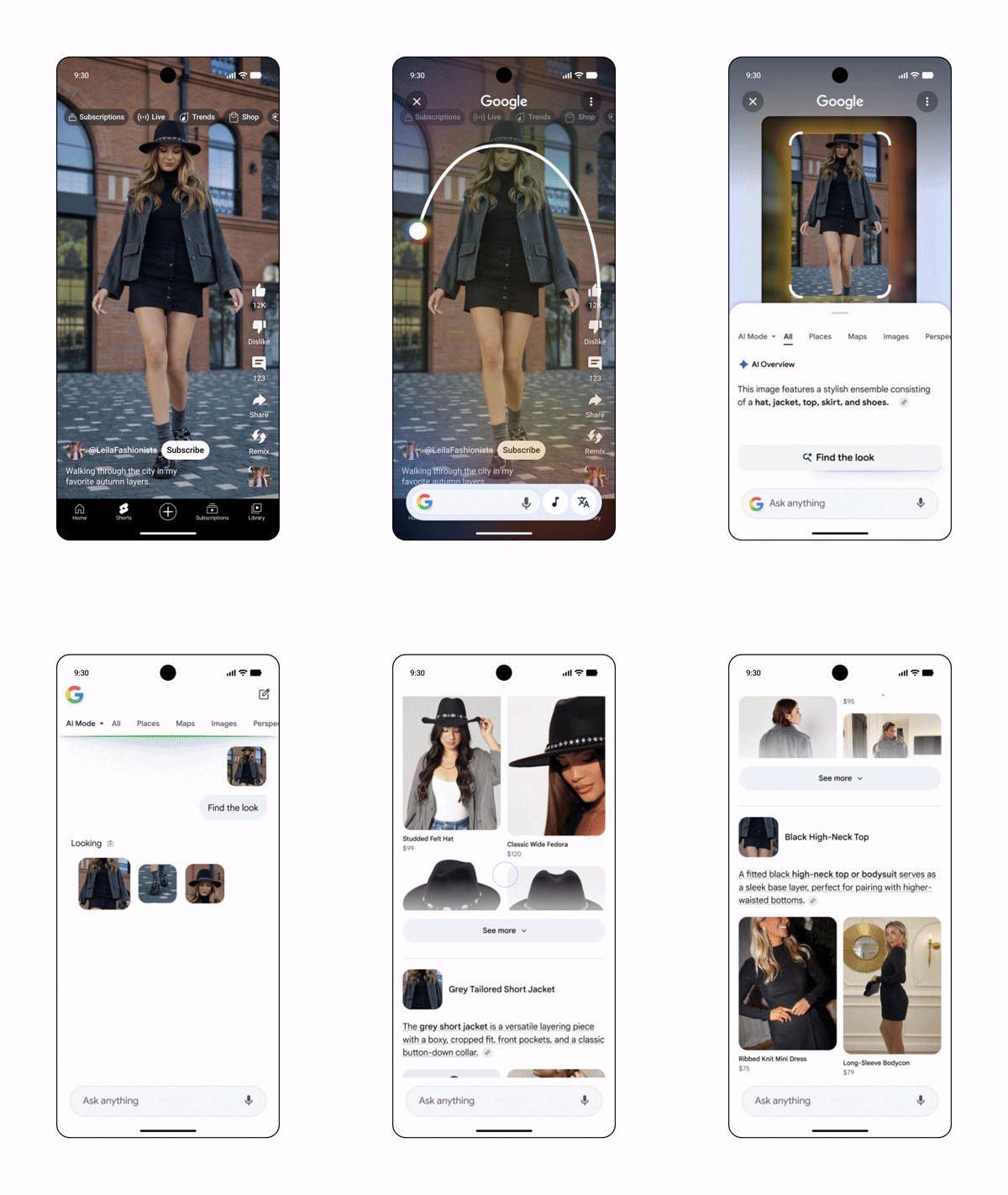
Circle to Search now surfaces shopping results for each item, instead of having to search for shoes, a jacket, and a pair of jeans individually. It can also identify multiple clothing items in a single image. The feature is available on Android 14 devices that already support Circle to Search.
Google Photos becomes a digital closet
Google is also adding a surprisingly ambitious wardrobe feature to Google Photos, which debuted on Motorola’s new Razr lineup last April. The new digital wardrobe, coming soon to eligible users in the U.S., India, and Brazil, automatically catalogs the clothing in your photo library and puts those items into a browsable collection.
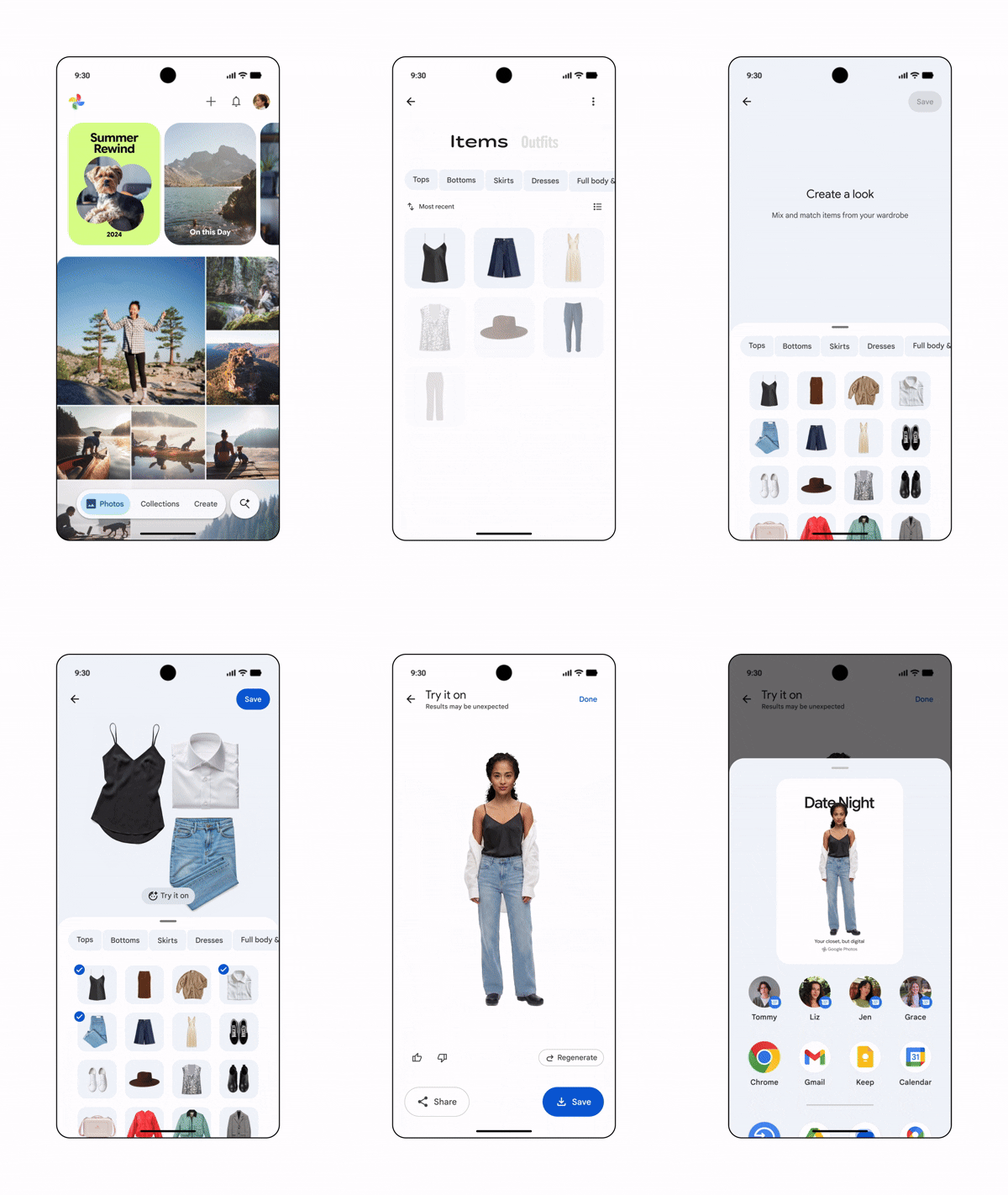
This feature provides a dedicated space for your outfits to be sorted and ready to revisit instead of endlessly scrolling through old photos to remember what you wore to an event. Google says users will be able to mix and match clothing combinations, save favorite looks, and even virtually try outfits on.
Book lovers are getting something new, too. Google Play Books is adding AI-powered reading tools to keep readers engaged without leaving the app. The new “Catch me up” feature gives you recaps of what you’ve already read, so it’s easier to pick up a book where you left off. Meanwhile, readers can highlight passages and ask questions about themes, characters, or context directly within the reading experience.
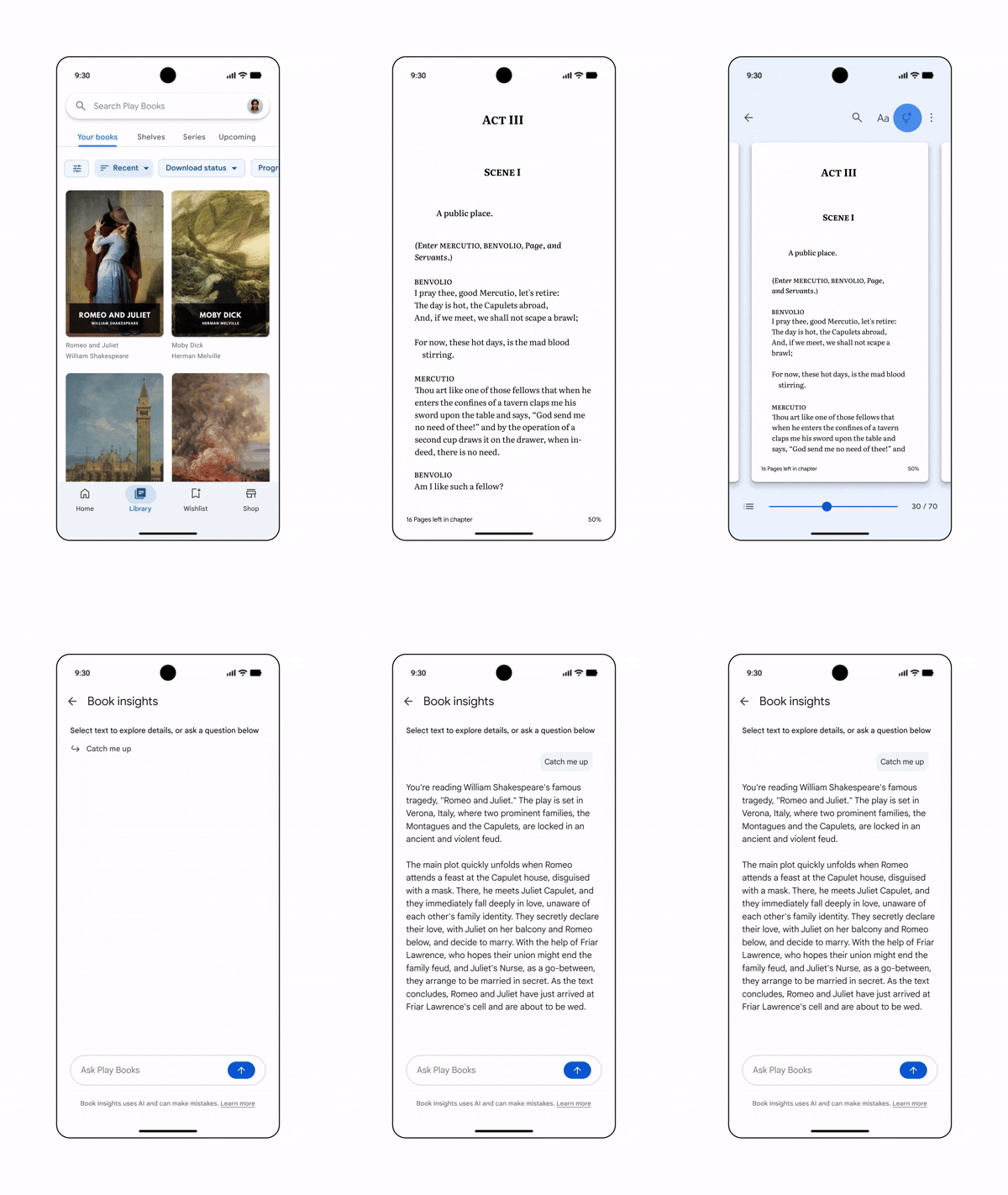
Google says the Book Insights features are now beginning to roll out for select English-language titles, including thousands of books that are free to read.
However, not every update is powered by AI. Gboard’s Emoji Kitchen is dropping another batch of emoji mashups, giving users more ways to come up with more expressive combinations. The feature keeps turning ordinary emoji into custom stickers with a single tap, whether you’re trying to send something playful, dramatic, or just oddly specific.
Android Central's Take
These new features could fix small but real problems people face every day. That said, there’s also a growing feeling that Google wants your phone to organize, recommend, categorize, and think for you at every turn. Some users will like the convenience, while others will wonder if we’re slowly turning our devices into overzealous personal assistants that can’t stop making suggestions.

