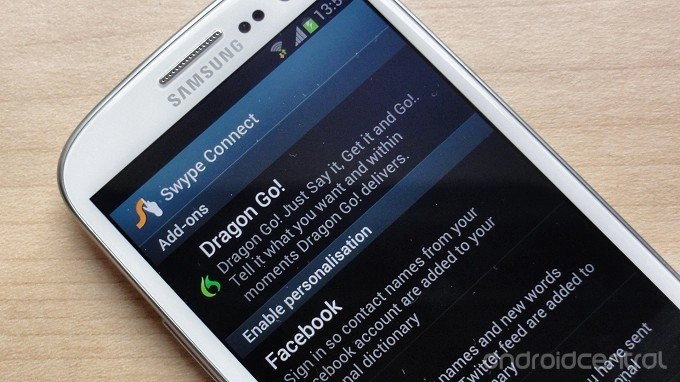
Swype developer Nuance has announced -- and released -- a major update to the beta version of the popular Android keyboard. The new Swype beta, which is available to download now from the official site, adds in several new abilities designed to make word prediction more accurate. Among these is a feature more commonly associated with rival SwiftKey -- personalized prediction based on social networking accounts, SMS and email.
The devs have also added in the ability to sync your personal dictionary across multiple devices, and download new languages from within the app. On top of that, a more intelligent prediction engine is promised, based on Nuance's XT9 tech, which the developers say will make Swype smarter based on historical usage. Dragn dictation is also included, if you prefer talking to typing.
All in all, this looks like a worthy update to one of the most popular Android keyboards, so if you're a fan of Swype, you'll definitely want to check it out. The new version of Swype is available now over at the source link for English and Spanish users.

We've got the presser after the break.
Download: Swype Beta
Nuance Launches Next Generation Swype
Swype's New Living, Learning Keyboard Gets Smarter Every Time You Use It
Burlington, Mass. – June 20, 2012 – Nuance Communications Inc. (NASDAQ: NUAN) today announced the next-generation Swype keyboard, a four-in-one keyboard that is a revolutionary step forward in the way people communicate and input text on their mobile devices. Swype now combines touch and voice input with unique adaptive capabilities to understand users' preferences over time – becoming smarter and more personalized every time they swype, speak, tap and write.
Staying connected has never been more exciting as Swype provides consumers with more choice in how they input text, and now interprets a user's personal language style – ultimately providing an amazingly fast, flexible, and accurate experience. New features include:
· Next Word Prediction: Swype's next word prediction is amazingly intelligent as Nuance has integrated capabilities from its renowned XT9 portfolio. Swype gets smarter based on historical usage, so prediction becomes more accurate with each use.
· Voice-Text Dictionary Syncing: Swype now includes a personal dictionary. Every new word a user enters on the keyboard gets added to their personal dictionary for speech and text, and you can even have Swype learn from emails, texts and posts. These updates are then mapped into Swype's unified language model, so people can immediately speak or write that same word no matter how unique or specialized.
· Language Downloads: Swypers everywhere can communicate in any language they speak, as Swype now supports the download of over 55 languages right from the device.
· Four-in-One Keyboard: Swype now delivers a four input modalities in one keyboard. People can swype from letter to letter; type rapidly with predictive text input powered by XT9; speak their text naturally through a fully integrated Dragon button; or, simply write letters, words and symbols using their fingertip. Further, users can switch back and forth between modalities on the fly – providing the ultimate in keyboard personalization.
"People use their keyboards every day in every way – so input needs to be fast and simple," said Michael Thompson, executive vice president and general manager, Nuance Mobile. "The new Swype living, learning keyboard ushers in a new era of input, where the keyboard adapts to the users' unique way of communicating every time they swype, speak, tap or write."

