
What you need to know
- Spotify has redesigned its Wear OS app to improve navigation and make features easier to access from your smartwatch.
- The new Music-First Mode adds gesture controls and puts album art front and center for a more immersive view.
- Users can now browse Home, Search, Library, and Downloads directly from their smartwatch without using a phone.
Spotify has just announced a new update for its Wear OS app that improves navigation and introduces several new features for smartwatch users.
Spotify says it has redesigned the Wear OS app to make it more discoverable and give users greater control from their wrist. Until now, the Wear OS app mainly acted as a playback control screen for music playing on your phone, but this update brings a much more feature-rich experience.
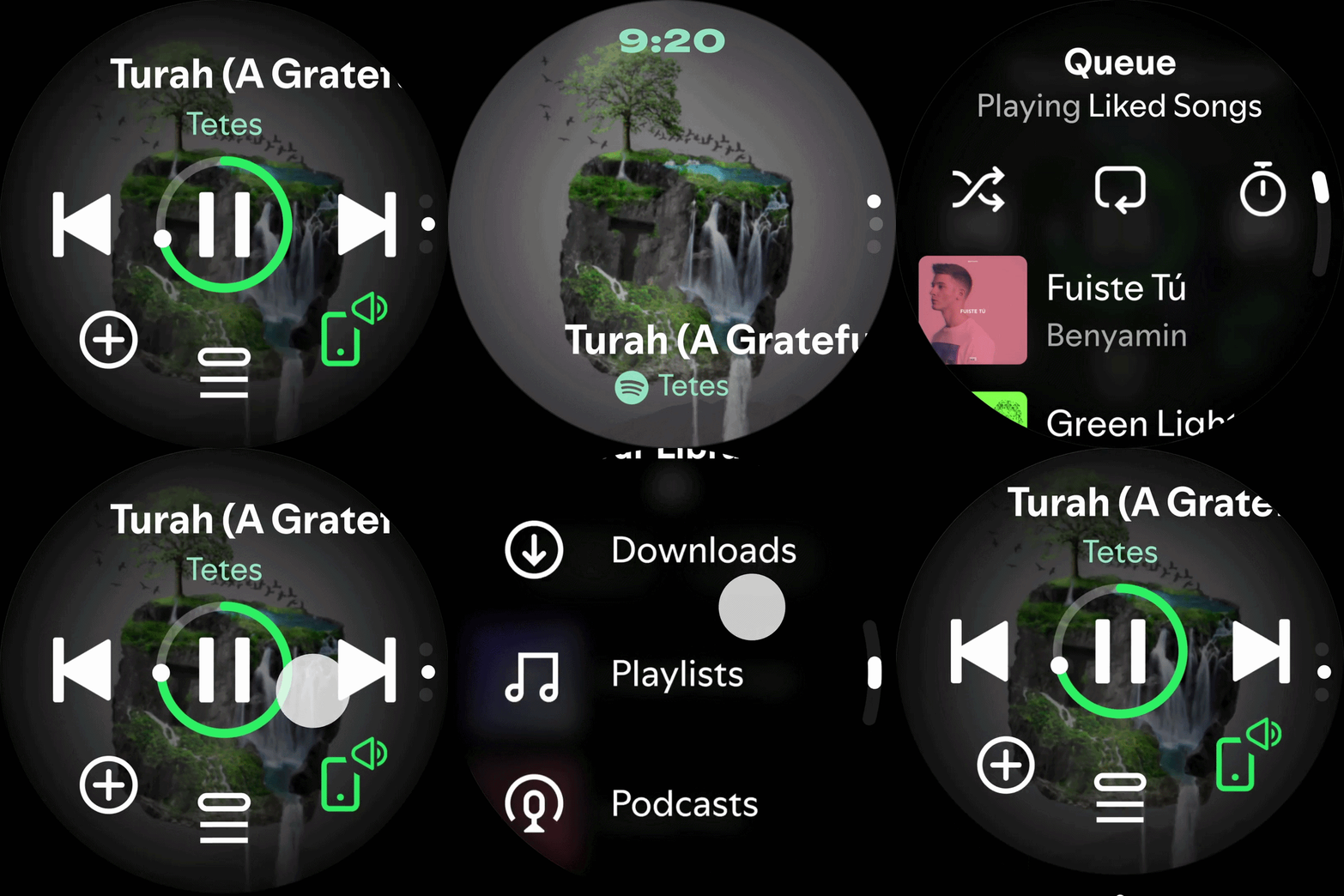
The app still opens to the familiar playback screen. However, swiping down now takes you into what Spotify calls "Music-First Mode." This view places album artwork front and center, and you can control playback using gestures. A single tap plays or pauses music, while a double tap skips to the next track.
This is something we are seeing on a smartwatch music app for the first time, and in theory, it sounds quite promising. I haven't tried the new app yet, but bringing gesture controls similar to earbuds onto a smartwatch makes sense, especially when paired with large, vibrant album art on the display.
Swiping up in the app now opens a new discovery section that gives you quick access to Home, Search, your Library, and even Downloads. You can browse and start new content directly from your smartwatch.
There is also a new button on the playback screen that lets you manage your queue, set a sleep timer, or access a more detailed context menu.
Spotify says the update is rolling out over the coming days. To access the new UI and features, you will need to update to the latest version from the Google Play Store. The company also says more improvements for Wear OS are planned in the coming months, though it has not shared specific details yet.

