
What you need to know
- Mixboard, Google's experimental AI planning board, now uses Nano Banana Pro.
- Nano Banana Pro can use your Mixboard ideas to generate a slide deck or presentation.
- Users can pick styles and use text prompts to guide Nano Banana Pro in generating the deck, which will take about 20 minutes.
Enjoy our content? Make sure to set Android Central as a preferred source in Google Search, and find out why you should so that you can stay up-to-date on the latest news, reviews, features, and more.
If you're looking to gain access to Google's newest AI tools before they go mainstream, check out Google Labs. This is where you'll find the company's experimental AI projects debut first, and some of them, like NotebookLM, become incredibly successful apps.
One such experimental Google Labs feature is Mixboard, an AI-powered idea board and planning canvas web app. Starting this week, Mixboard now uses Nano Banana Pro to turn your creations into presentations with AI. Nano Banana Pro, also known as Gemini 3 Pro Image, is Google's latest and greatest text-to-image model that is specifically designed to create graphics with legible text.
In a blog post, Google explains Mixboard's Nano Banana Pro integration helps "transform the content from your main board into a compelling presentation. Mixboard combines context from your board and your input— including format, presentation focus and your preferred visual style — to build beautifully designed presentations."

Users can choose between different presentation options, like visual decks or read-only documents. Then, they can enter a text prompt to guide the style and goal of the presentations. Users can also select a preset style or image preference, like photography, analog film, or illustration styles.
There are generation limits that can "fluctuate based on real-time server load and network traffic." Additionally, it'll take about 20 minutes to turn a Mixboard project into a presentation.
Everything you can do with Nano Banana Pro in Mixboard
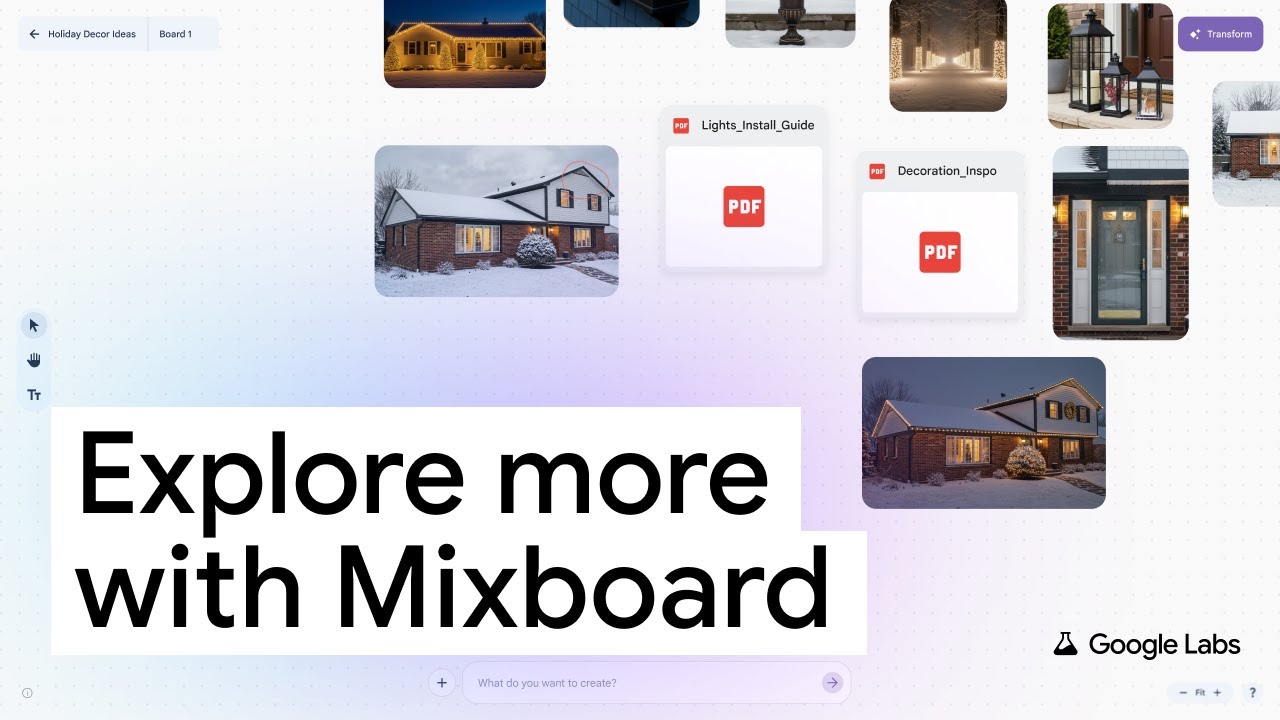
Mixboard's Nano Banana Pro integration helps you turn a canvas into a usable slide deck that can be shared with others or help you give a presentation.
The AI-powered idea board also now supports more types of visual content. There's a "selfie" camera built into Mixboard so users can take pictures of yourself to insert into your board. The platform also supports more file types, including PDFs, and has a markup tool that lets you draw on uploaded files and photos.
These updates are rolling out now in Mixboard in Google Labs.

