

Android Central Labs is a weekly column devoted to deep dives, experiments, and a focused look into the tech you use. It covers phones, tablets, and everything in between.
For me, tablets have always been kind of a weird form factor for a device. They're not small and portable like a phone, and the UI and lack of built-in physical keyboard make them difficult to recommend as a laptop replacement.
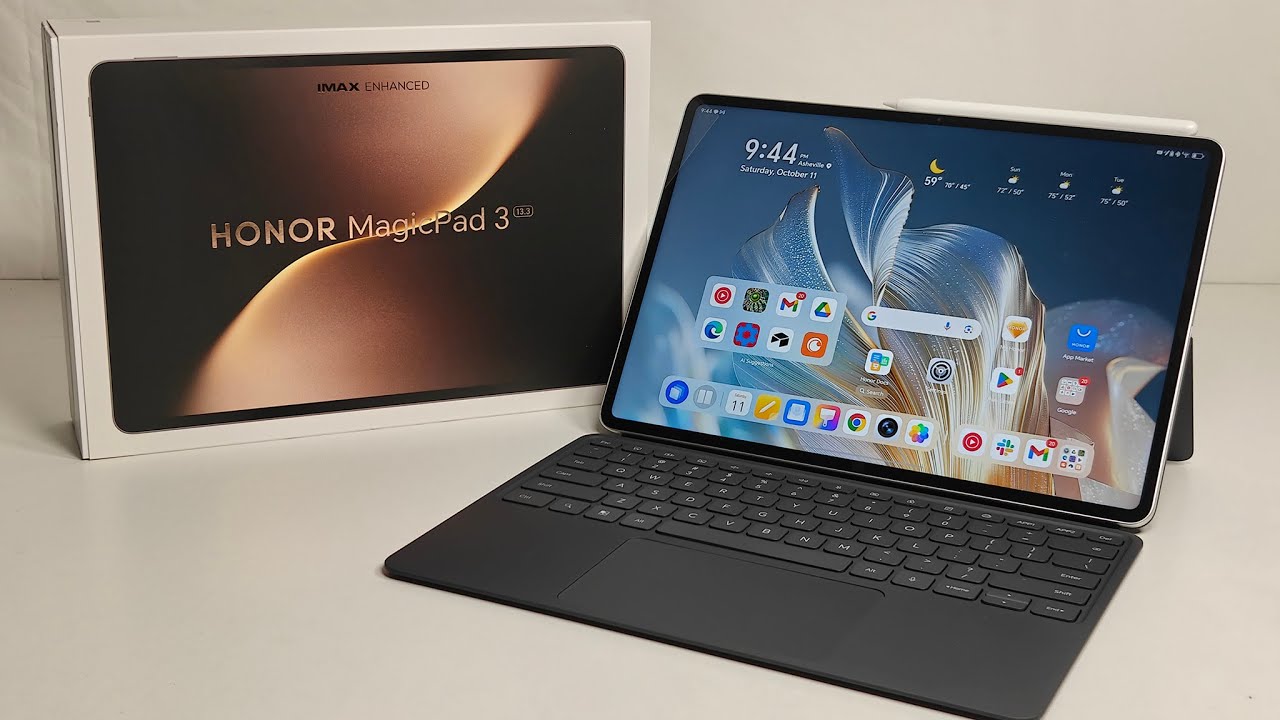
But last year, when my power was out for two weeks after Hurricane Helene, I found that the Honor MagicPad 2 tablet was the perfect replacement for my laptop because of the battery life. This year, Honor is taking that usage to heart, upgrading the MagicPad 3 with a giant 13.3-inch screen that rivals the best laptops.
This large size and included stylus also make it perfect for artists who want a digital canvas without investing $1,200 in a similarly sized iPad Pro. But the tablet's massive size makes it awkward for most other tasks, limiting its general-use potential. Over the past few weeks, I've been putting this tablet to the test in every way I can find, and I've narrowed its usefulness down to three categories.
Enjoy our content? Make sure to set Android Central as a preferred source in Google Search, and find out why you should so that you can stay up-to-date on the latest news, reviews, features, and more.
Laptop replacement

First and foremost, the Honor MagicPad 3 makes an excellent laptop replacement in many cases. While Android as a laptop OS still has awkward limitations compared to Windows, Honor's MagicOS skin feels more like a laptop OS than ever.
That starts with a new default window-management function that launches everything in resizable windows rather than full-screen monstrosities. Pair this with the ability to minimize windows to floating icons that can be moved anywhere on the screen, plus a quick way to launch several apps in four pre-made split-screen templates, and it's easy to see why this feels more like a desktop OS than ever.


Honor's significantly improved keyboard and mouse folio case might just be my favorite change, though. The tablet now magnetically adheres to the case and is far simpler to remove and place into the case than before. The keyboard has an extremely comfortable layout that felt native to me the second I started typing on it.
Unlike some other tablet keyboards I've used, there was no adjustment period for me using it. It felt almost identical to my Honor MagicBook Art 14 laptop, which was refreshing. Even the trackpad mouse is fantastic and feels like a proper laptop mouse. My one critique is that the taskbar still cannot be pinned. This was a huge oversight last year, and I really hope Honor adds it in the MagicOS 10 update.
Multimedia powerhouse

Last year's Honor MagicPad 2's speakers were incredible and made watching downloaded videos and movies in the dark evenings (without power) after the Hurricane a joy.
This year's speakers are somehow even better, offering incredibly full sound, notable bass, and truly impressive virtual surround sound. More than once, I actually felt like I needed to look around to find the invisible speakers I knew weren't floating around my head.
It also has a bigger display than last year, making it more enjoyable to watch a movie, binge a TV show, or catch up on the latest episodes of your favorite manga or webtoon.
The problem is that the display is worse in some ways, despite the size upgrade for this purpose. I'm not someone who thinks OLED is inherently better than LCD for a number of reasons, but many people prefer OLED for a more "premium" experience because of the punchy colors and deep contrast it offers.
The 165Hz LCD panel on this tablet is quite good, especially for an LCD, but it looks duller than the Honor MagicPad 2's OLED panel. The backlight is fully flicker-free according to my testing, but the display makes a huge mistake by trying to fake a 10-bit color palette on an 8-bit panel.
This is done through color dithering, a tactic that causes splitting headaches for some people. Doesn't make much sense to have a flicker-free backlight and get lots of TÜV Rheinland eyecare certifications if your pixels are just going to end up flickering a bunch of colors, now does it?
A stylus, if that's your thing

A third reason to buy this tablet would be the excellent stylus that comes with it, but I'm not sure how many professional artists use a tablet to make their art. It could also be excellent for anyone who just loves to draw or doodle — adults and kids alike — as the canvas is so massive and lies nicely and flat on a table, especially if it's in a case.
That said, I think sticking with something smaller makes sense for most people. There's certainly room for big tablets in the world (see what I did there?), but I've not found many in my own time with the MagicPad 3. I think the MagicPad 2 is still the better buy because of its size and display, both of which you won't be disappointed in.

