
One of the more surprising Black Friday and Cyber Monday deals saw the Galaxy Chromebook Plus drop to $200 off. That's the lowest price we've ever seen for Samsung's flagship Chromebook. But if you missed out on that deal, Best Buy's got your back, as the Galaxy Chromebook Plus is currently $150 off.
Sure, this Chromebook deal might not be as good as the ones on Black Friday and Cyber Monday, but it's still pretty incredible. Not to mention that Christmas is just over a week away, and I suspect that it'll be awhile before we see the Galaxy Chromebook Plus for this cheap.
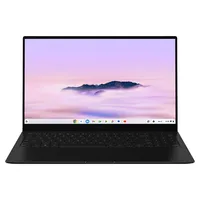
✅Recommended if: You want an ultra-thin Chromebook that is incredible performant while featuring an absolutely gorgeous AMOLED display.
❌Skip this deal if: You prefer having (or need) a Chromebook that offers a convertible design, one that isn't quite as large, or you're on a budget.
Sometimes there are Chromebooks that just check most, if not all of the boxes. Unsurprisingly, this is the case with the Galaxy Chromebook Plus, as remains one of the best Chromebooks of the year, and not just because it's from Samsung.
The 16-inch AMOLED display is just incredible, which really isn't much of a surprise given Samsung's reputation in the space. It's great for watching movies or playing games, and is large enough so that you don't feel cramped when using split-windowed apps or working with a bunch of different apps.

There is one potential caveat with the Galaxy Chromebook Plus, and it has to do with the display. Unlike many of the other best Chromebook options out there, Samsung opted against offering a convertible design. As such, you'll need to look elsewhere if that's a key requirement for picking up a new Chromebook.
Even still, if the convertible design is not an absolute necessity, and you have the budget, then this is probably the Chromebook for you. And while it might not have the latest and greatest processor, there's still plenty of juice under the hood to handle much of what you can even think about throwing at it.

Samsung and Google worked closely on the Galaxy Chromebook Plus, as it was the first to feature a dedicated "Insert Key." This works in almost every app or browser window on your Chromebook. It also gives you quick access to basic things like an emoji picker, and of course, Google Gemini.
Speaking of which, if you do happen to snag the Galaxy Chromebook Plus, not only are you saving $150, but Google includes 12 months of Google One AI Premium. With this, you get 2TB of storage, access to the Gemini Advanced model, along with being able to make use of Gemini in your various Google apps.
With that in mind, you might want to move fairly quickly on this deal, as Christmas will be here before you know it. And as such, there's a pretty good chance you'll end up seeing the Galaxy Chromebook Plus return to its original retail price.

