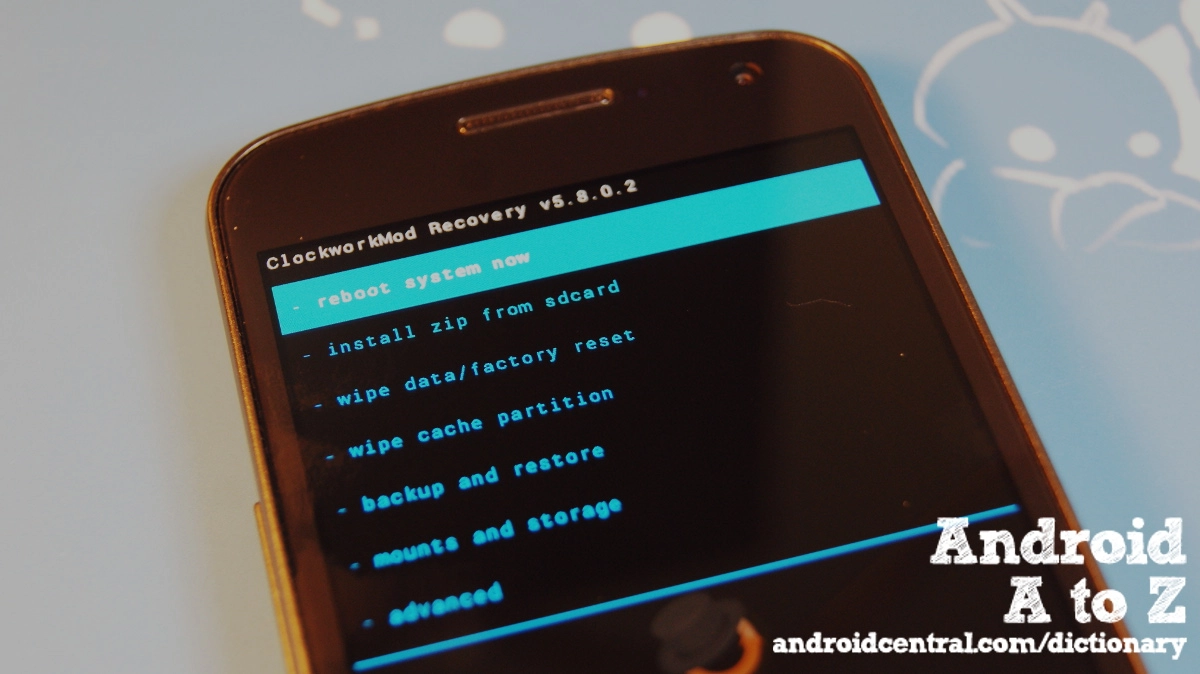
We're getting a little hacky in this round of Android A to Z, and we're going to have a look at ClockworkMod recovery -- the de facto standard of custom recoveries for Android. It's open source, based on the stock Android recovery, and brings a ton of options to the table that aren't possible otherwise.
First, let's look at why anyone would use a custom recovery. The standard Android recovery can do two things for the user -- flash system files that have been signed and verified as coming from the correct source (either Google or an OEM), and wipe away user data and cached information. Both these operations are pretty important, but there's more many users want and need from the recovery mode of their phone. Things like backing up all user data into image files that can be restored easily, or flashing software that doesn't come from Google or the OEM -- like custom ROMs -- and wiping some residual data to troubleshoot things like file permission errors. It's pretty advanced stuff, but it's very handy to have it for many of us.
ClockworkMod recovery (we'll call it CWM from here on out) does all this, and does it very well. It's provided free, and has a pretty handy wrapper around it so it can be used while the phone or tablet is up and running. We're talking about Rom Manager, of course. With CWM you can erase the user data from your system completely -- including that extra data that may cause an issue, selectively erase portions of it (a godsend for troubleshooting), create a restore image of the running system, and flash custom firmware at will. If you're running a custom version of Android on any newer phone or tablet, you're probably using it right now. If you're thinking about trying your luck with a custom ROM or tweak, CWM is where you'll get started.

Check out the complete Android Dictionary
More from the Android Dictionary
[block:views:article_lister_bespoke-block_13]

