

At a glance
1. Best overall
2. Best cheap
3. Best performance
4. Best 2-in-1
5. Best battery life
6. Best tablet
Others to consider
How to choose
Students are heading back to school and in need of affordable gear to help with their academics. If you're a student, or a parent to one, you must be on the prowl for a durable, sturdy, and reliable laptop that doesn't break the bank, a Chromebook is clever solution. Depending on your needs, you can find a capable Chromebook to handle high school, college, and beyond.
The best Chromebooks for students are budget-friendly, but you can also stretch that tight budget a little more to get premium choices like Chromebook Plus models that are guaranteed to get a decade's worth of updates.
To decide which one is best, you'll have to consider whether you care about things like reinforced hinges, water-resistant keyboards, battery life, or 2-in-1 functionality. Some of the best Chromebooks for students have touchscreens and 360-degree hinges that allow them to double as tablets that are great for learning.
We love the Acer Chromebook Plus 515 because it offers capable hardware, a durable construction, and a lengthy software support promise. Budget-focused buyers might turn to the HP Chromebook 14a, a reliable option for light tasks like web document editing and browsing. Finally, you might want to consider the Lenovo IdeaPad Flex 5i Chromebook Plus, which is an outstanding 2-in-1 device.

Andrew Myrick is a Senior Editor and has been enamored with Chromebooks since the Cr-48. The world of Chromebooks continues to evolve at a rapid pace, between the constant updates to ChromeOS and what the physical hardware can provide. Andrew keeps his ears to the ground and his finger on the pulse of anything and everything Chromebook related.
At a glance

Best overall
The Acer Chromebook Plus 515 packs impressive performance into a versatile design that's light enough to carry around in a backpack all day, while being still quite affordable.

Best cheap
It's not going to win any awards for performance but if you just need an affordable Chromebook to finish your homework and some basic tasks, the HP Chromebook 14a is a solid choice.

Best performance
The Lenovo Chromebook Plus 14 is fast and powerful, all thanks to the MediaTek Kompanio Ultra 910, paired with 16GB of RAM, and you also get a bright 14-inch OLED touchscreen display, a lightweight and premium design.

Best 2-in-1
The Lenovo IdeaPad Flex 5i Chromebook Plus is as impressive as its name suggests. It offers excellent performance, a vibrant display, and the 2-in-1 form factor makes it super versatile.

Best battery life
With the HP Chromebook Plus 15.6”, you'll never have to worry about running out of battery. It has all the essential ports, long software support, and incredible battery life, that too with fast charging.

Best tablet
The Lenovo Chromebook Duet 11 is a lightweight and versatile device that has an energy-efficient Snapdragon processor. It also comes with a kickstand and a detachable keyboard.
Best overall
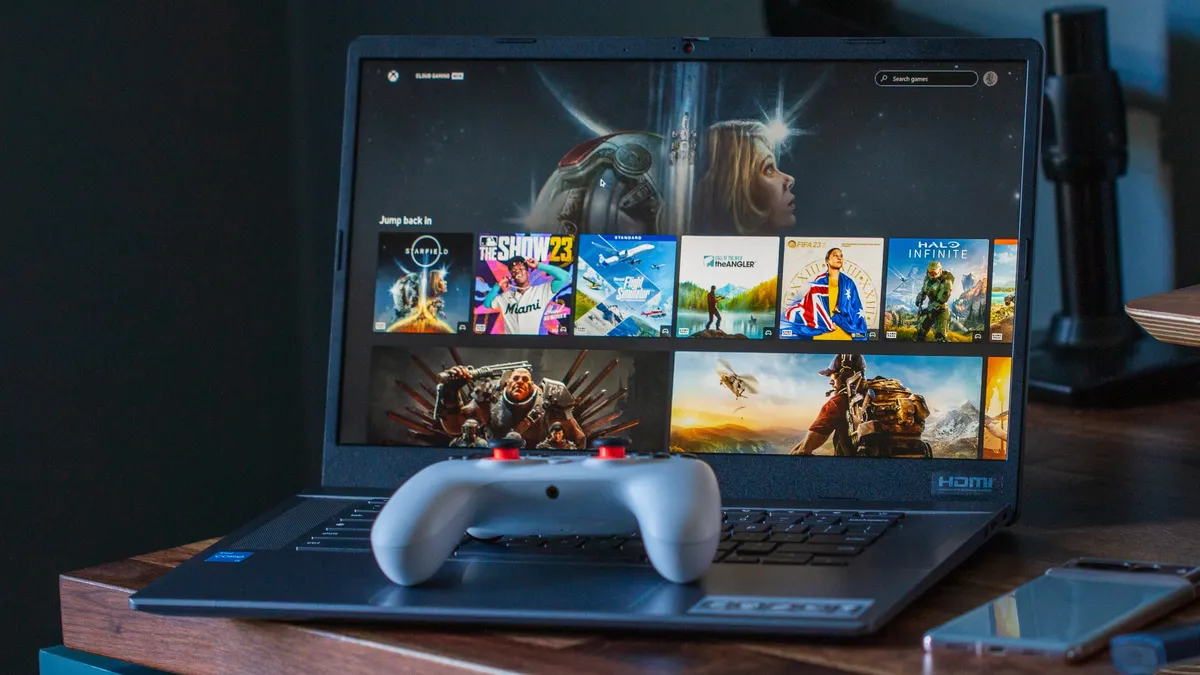
When we’re rounding up our list of the best Chromebooks that money can buy, the Acer Chromebook Plus 515 is easily near the front of the pack. This is especially true when we’re considering the needs of the modern student, as the Chromebook Plus 515 boasts all the power, sturdy construction, and portability that a young learner could ever want in a laptop. To add to that, it is guaranteed software all the way until June 2032.
This Chromebook comes in a bunch of different configurations, starting with the Intel Core i3-1215U. However, the one you're probably looking for features Intel's Core i5-1335U, carrying a model number of CBE595. It's paired with 8GB of RAM and 128GB or 256GB of storage. As for the display, it sports a modest 15.6-inch IPS panel, capable of reaching up to 250 nits of brightness. All the while, giving you the best that ChromeOS has to offer thanks to its 'Chromebook Plus' moniker.
With this device you'll be able to enjoy the latest and greatest features from Google, such as an improved webcam experience, and Magic Eraser in Google Photos. This also means that you can finally use Photoshop on the web, including Adobe's incredible Generative Fill AI feature.
Best cheap

For some students, you might not want (or need) something that has a wide variety of features. Instead, the HP Chromebook 14a-ne0047nr might be a bit better suited in such cases, even more so as it's one of the best cheap Chromebooks out there.
Unsurprisingly, this won't win any awards for performance, as it's only powered by Intel's Celeron N4120 processor. It's also paired with just 4GB of RAM and 64GB of storage, so you won't be able to have a plethora of tabs and windows open at the same time.
This is both a blessing and a curse, depending on what it is that you plan on doing on this device. On one hand, if you just need a Chromebook to finish your homework or look at some presentations, the Chromebook 14a is going to be just fine. However, if you think you'll be needing something with a bit more "oomph," you might want to look at other options on this list.
Best performance

Lenovo turned a lot of heads when it unveiled the Chromebook Plus 14 in June 2025. Not just because the company had been pretty quiet since the release of the Duet 11 in late 2024, but because of what this beast has to offer.
At the time, it was the first Chromebook to be powered by the MediaTek Kompanio Ultra 910 SoC, which is paired with 16GB of RAM. The implementation of an ARM chip means that in addition to excellent CPU/GPU/AI performance, the battery will last forever. Lenovo rates it for up to 17 hours on a single charge, and while I haven't quite been able to match that, I'm easily able to get a couple of days of use out of it on a single charge.
Although some would've liked to see this be a convertible, Lenovo tried to make up for that by including a gorgeous 14-inch OLED display. Even with the use of a glossy display, you'll pretty much be able to get your work done from anywhere, provided the sun isn't shining directly above you.
Best 2-in-1

The truth of the matter is that the majority of the best student Chromebooks sport a convertible, 2-in-1 design. However, Lenovo gains an edge here, all thanks to its use of Intel's latest 13th-generation CPU. This makes it more powerful than many of the other options on this list.
One of the problems with some of the other alternatives is that they just don't feel sturdy enough to handle the daily rigors of a student's life. Lenovo managed to solve that issue with the new Flex 5i Chromebook Plus, as the hinge is just about as sturdy as anything else we've tried.
It also helps that Lenovo is relying on a 14-inch, 1920x1200 pixels resolution display that can also be used with the best USI pens. Unfortunately, you won't find a faster refresh rate, as that's reserved for the best gaming Chromebooks. Still, the Flex 5i reaches up to 300 nits of brightness, making it suitable for the classroom or if you're getting some work done on a park bench.
Best battery life

Rounding out the pack of 'traditional' Chromebooks is the HP Chromebook Plus 15.6". What helps separate this from the pack is its incredible battery life, thanks in part to the Intel Core i3 CPU. It's surprisingly more efficient than you might expect, considering that this also sports a 15.6-inch display.
HP claims the Chromebook Plus 15.6" can last for at least 13 hours on a single charge, and chances are, you'll be able to squeeze out even more juice. Plus, thanks to the built-in fast charging, you can go from 0-50% in just 45 minutes.
Something that you'll find on this Chromebook that you won't find on many others is the ability to expand the storage. Out of the box, it includes 128GB of storage, but there's also a microSD card slot on the left side, which can really come in handy if you need to transfer files or just want some room to breathe.
Best tablet

Although there have been a few occasional competitors, Lenovo stands above them all if you're looking for the best ChromeOS tablet. That continues with the Chromebook Duet 11, released in late 2024, which ushered in a bunch of improvements over the previous models.
In addition to the premium build quality, the Duet 11 packs a punch in the performance department thanks to the Kompanio 838. While it might not be as powerful as the Kompanio Ultra 910, it's still more performant than a lot of the Chromebooks released in recent years. Plus, it's more efficient, giving you battery life that lasts for days.
Lenovo also made the helpful decision to include the Keyboard and Kickstand in the box with every model. However, only select variants will find Lenovo's latest USI 2.0 Pen in also included, which is definitely worth looking out for.
Our biggest gripe is that unless you're on a very limited budget, steer clear of the 4GB/64GB model. While the cheaper price might be enticing, the headaches that will ensue will make you regret grabbing one to begin with.
Check out our Lenovo Chromebook Duet 11 review for more information.
Others to consider

Gone are the days when you only had a couple of good Chromebooks to pick from. Because of this, there are a few other options that we wanted to point out that didn't quite make the list above for one reason or another.
Arguably the most obvious omission from the list above is the Samsung Galaxy Chromebook Plus. Frankly, if it weren't for the Lenovo Chromebook Plus 14, it would've made the list. Even still, Samsung's return to the Chromebook market hasn't gone unnoticed, as this remains one of the thinnest options out there.
We also want to point out that you should keep an eye out for some last-generation Chromebook models. In most instances, these are just as good as the newer versions, without requiring you to pay the higher price tag. An example of this is the HP Chromebook x360 14c, as it's practically the same as the Chromebook Plus version, just minus the new logo on the lid.
How to choose
When picking a Chromebook for a student, you may be tempted to go with a non-touch model, but fight this urge! Touchscreen Chromebooks aren't actually much more expensive these days and they are far easier to interact with, especially for students who play educational games or use artistic apps to doodle away their boredom. An included stylus, like the one on the ASUS Chromebook Flip C214 can be great for art apps, but it's alright to skip it if you don't think you need the extra (and easy to lose) piece.
As far as screen size goes, 11.6 inches is the standard size for most Chromebooks, because it's small enough to be easily portable while still being big enough to get all your work done on. While 13-14-inch laptops make sense for teachers that stay in one room most of the day, for students lugging laptops between periods, smaller and lighter is better. Of course, quality 14-inch touchscreen Chromebooks will also strain your wallet, but if you want something larger than a standard spiral notebook, head on over to our best Chromebooks guide for those recommendations.
Why use a Chromebook for students in the classroom?
Why you can trust Android Central Our expert reviewers spend hours testing and comparing products and services so you can choose the best for you. Find out more about how we test.
There are several reasons, so many schools use Chromebooks in the classroom, and each one is just as important as the next.
- Powered by Google — Google is a household name for technology, and school districts know the company will be around to offer support for the life of the product.
- Ease of use — Chrome OS is a lightweight system that's easy to find your way around, even for younger users and parents that aren't tech-savvy.
- Security and administration tools — Chrome OS is designed with security at the forefront (since Chromebooks are also aimed at the Enterprise space), and a G Suite administrator can lock things down to meet the needs of a school system's IT policies.
- Price — Chromebooks designed for classroom use can be bought in bulk for hundreds of dollars less than other devices like iPads and Windows laptops.
- Parents can provide a Chromebook, too — Because they are inexpensive and easy to use, parents can provide a Chromebook for a child who isn't in a 1:1 school program or during the summer recess.
School systems are notoriously cash-strapped and understaffed, yet they are responsible for shaping the next generation through their formative years and beyond. School officials have told me that this can be the most frustrating part of their job because sometimes they can't provide teachers and other hands-on educators with the tools they need to teach our children. Because Chromebooks are inexpensive to buy and support, they are a welcome option for the frustrated, underfunded school districts.
Chromebooks provide a gateway to everything a student needs to learn and everything a teacher needs to guide them in the classroom. A consumer may take for granted little things, like automatic updates and the ability to sign in to any device and have your profile available, which means more time to dedicate to studies instead of administration.
Chromebooks are designed to be used with Google's educational suite of applications.
Chromebooks also work seamlessly with Google's educational software: Google Classroom, G Suite for Education, and even Google's consumer applications like Gmail or Google Keep. With these apps and services, students and teachers can work online or offline, seamlessly syncing with Google's servers.
It's tough to tell if you're working with an app that stores its data in the cloud because the experience is so good, but you'll know it did when you pick up a completely different Chromebook, and everything will be just as you left it. This is great for students, allowing them to get back to work after they spill water all over their Chromebook and have to be issued a new one.
Chromebooks and Google's educational application suite are simple to use, well integrated into inexpensive Chromebooks, and are the perfect foundation for education.
