Google is rolling out another round of Google Home improvements, and older Nest cameras are getting some much-needed attention alongside upgrades to Gemini.
The main changes are divided between Gemini for Home (Early Access) and the Google Home app. On the Gemini front, Google is making its voice assistant better at understanding complex smart home requests. If there are multiple devices that match a command, Gemini can now ask a quick follow-up question to determine exactly which device you mean instead of guessing or giving up. That’s a far better way to go than arguing with your smart speaker about which bedroom light you want off.
Gemini gives you visual responses and faster voice controls
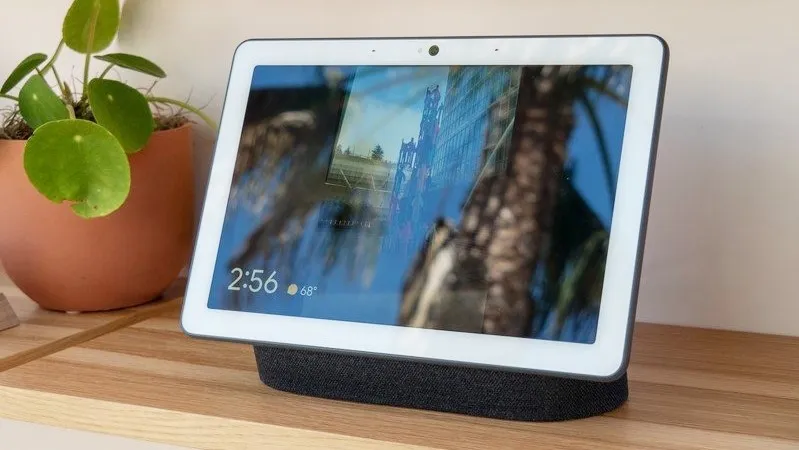
Google is also offering Nest Hub owners a more useful way to interact with Gemini. Now, smart displays can show relevant images alongside on-screen answers when they’re helping to explain a response. This should make some queries easier to understand without relying entirely on verbal explanations.
Other improvements include faster responses when setting, checking, or canceling timers and alarms, and more reliable media sleep timers. Google has also made voice feedback more conversational, enabling users to add details or revise their messages before sending them. Connected displays and speakers should also start playing broadcasts more quickly.
Some love for older Nest cams

The Google Home app update fixes a number of camera problems, especially for older Nest hardware that has been moved to the newer app. Google has fixed some live-streaming connection issues with the first-generation Nest Cam Indoor, Nest Cam Outdoor, wired Nest Doorbell (Nest Hello), and both Nest Cam IQ models.
The fixes target particular network setups like PPPoE connections, fiber internet, and mobile hotspots. Nest Cam IQ owners should also get back event thumbnails, and improved clock accuracy should provide more reliable timestamps on recorded footage. Google also updated security certificates and fixed stability issues that could lead to unexpected camera restarts.
Android users also get a handful of smaller, but welcome, fixes, like more reliable camera history controls, fewer unwanted Nest account-linking prompts, and clearer instructions on how to re-link third-party cameras. The ability to remove an offline, unmigrated 1st-generation Nest Doorbell is also returning.
Google Home becomes more useful than cameras
Elsewhere, Google has added an Eco Mode Everywhere toggle for households with multiple Nest thermostats, which allows you to activate energy-saving mode across devices with one press. Compatible Aliro smart locks also allow you to add digital home keys to Google Wallet on supported Android devices, including hands-free unlocking when you approach the door.
Google Home MCP is also getting an expansion. AI agents can now set up and manage home automations and get extra controls for devices like appliances, robot vacuums, EV chargers, thermostats, and more.
Over the coming days, make sure your devices update to the latest firmware—or pull the update manually via the Google Home app—to see these camera fixes and Gemini features go live.

