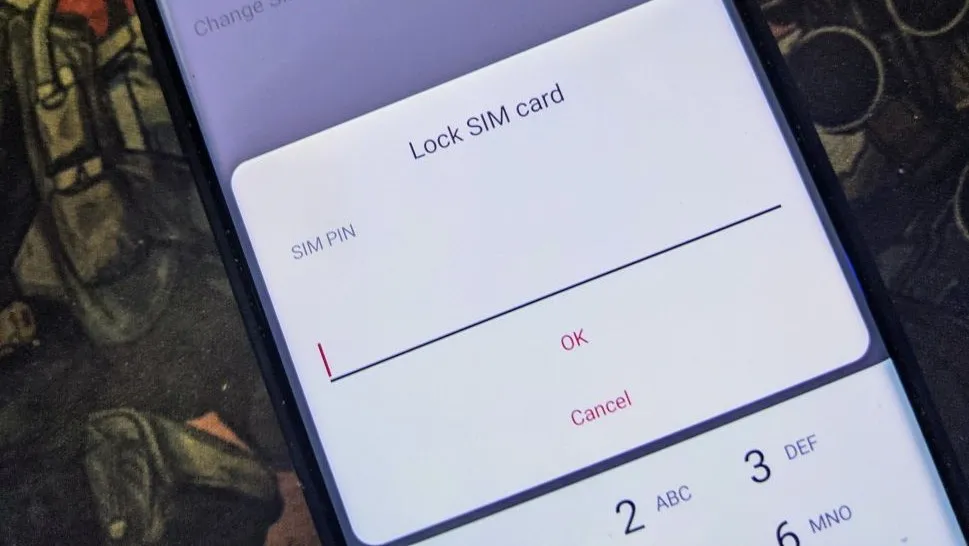
What is a SIM PIN code and how to unlock a SIM card with a PIN?
Best answer: A SIM PIN code is a (usually) four-digit number used to unlock a physical SIM card. Your carrier supplies the code, and some carriers allow you to change it. You'll need to unlock your SIM card each time you start your phone, or anytime you've manually locked it. Once the phone screen is on, enter the code in the pop-up window.
Much like a lock screen PIN code, a SIM PIN is only for you or someone you gave the code to. When you place a SIM card that has a PIN or is manually locked, the PIN is crucial to unlock the SIM. With a PIN, you can rest assured that only the person with the code can send messages and make calls.
What is a SIM PIN?
Why you can trust Android Central Our expert reviewers spend hours testing and comparing products and services so you can choose the best for you. Find out more about how we test.
Very simply, a SIM PIN is a code, usually between four and twelve digits, that prevents a SIM card from being used if it is placed in a new phone or after rebooting a phone it is currently inserted into. This ensures that a stolen phone cannot be used to make calls or prevents unauthorized access to a protected or secure phone number.
SIM PIN codes are not that common anymore, but they're often implemented in prepaid SIM cards purchased from a store or MVNO. You can set up your phone to use the code, but you will need to contact your carrier before you begin and be ready to contact them again if anything goes wrong.
Before you begin
If you are setting up a SIM card PIN code for the very first time, you'll need to be able to talk to the carrier who issued the SIM card. You'll need to get what's called a PUK code (personal unlocking key), which the carrier provides, as well as instructions about entering it; some carriers have you enter a PUK code through the phone dialer, and some have you enter it during the SIM card PIN code setup.
It's best to have access to another working phone in case you're locked out and need to talk with the carrier that issued your SIM card. This is one of the few times it might be worth visiting a carrier store so you're not stuck waiting for a replacement to come in the mail.
Use your phone's settings
The method for setting up a SIM card lock differs based on who made your phone. You'll find it with the rest of the network settings, usually hidden behind the advanced section. On Galaxy phones, for example, you'll need to go to Settings > Security & privacy > More security settings > SIM card lock.
Once you've found it, you can enable the card lock and manually lock your SIM card at any time.
Entering an invalid PIN code more than three times during setup or while unlocking your SIM card will lock you out of using the mobile network with that card once it's set up. If this happens, you'll need to contact your carrier.

Do you really want or need a SIM card PIN lock?
When you add a SIM PIN, all the other security settings on your phone will remain the same. A SIM PIN was more widely used when texts, calls, and data were more tied to your current carrier. It works with a pre-paid and paid plan. Mobile carriers provide an easy-to-guess SIM PIN when you request one, so it's a good idea to change it as soon as possible.
Should you use a SIM PIN? It adds an extra layer of protection to your data, so it's a good idea to have one. No one can use your WhatsApp and pretend to be you. Remember, if you forget the SIM PIN, you can always use the PUK code, which you can get from your carrier. Where can you find the SIM PIN? You can find your SIM PIN on the packaging or any documents with the card. If you don't see anything, contact your carrier.

