At a glance
1. Best overall
2. Best budget
3. Best large display
4. Best small display
5. Best detachable
6. Best mounted
How to choose
Smart displays expand on the functionality of smart speakers by allowing you get what you want with touch controls, rather than asking it to do something. This can be highly useful at times with one partner is fast asleep and you don't want to disturb them.
Apart from convenience, a smart display's touchscreen can stream YouTube videos, double up as a photo frame, and act as a clock. It's a handy device to also have in the kitchen while you cook as you can activate your Alexa devices and routines, and effortlessly manage timers and alarms.
The Google Nest Hub (2nd Gen) is still one of the best smart devices around, and it's currently our best overall pick. Despite it not having a camera, you can use gestures to quickly control many of the features thanks to the Soli sensor. But if that doesn't catch your fancy or if this smart display is not available in your region, we have five other great options that are also worth a look.
At a glance

Best overall
Diverse color choices, a vibrant display, and the invisible magic of its Soli sensor make the camera-less Nest Hub (2nd Gen) the best smart home experience for Google Assistant/Home users.

Best budget
With its versatile 8.7-inch display, the 2025 Echo Show 8 is a solid choice for most people. Plus you get a pair of full-range drivers, a 2.8-inch woofer, and a 13MP camera with auto-framing for video calls.

Best large display
This new larger Echo Show 11 features a 11-inch Full-HD display, and the same robust speaker system as its smaller sibling. Designed to be the "perfect kitchen assistant," the speaker supports Alexa+ and comes in two colors.

Best small display
If you don't mind using something smaller, the Echo Show 5 is an affordable smart display with some solid speakers and stylish color options.

Best detachable
Google's clever little smart display is an Android tablet-speaker dock bundle, giving you the best (and sometimes worst) of both worlds.

Best mounted
With the fold-flat Amazon Echo Hub, you can get all the sophisticated home control of a smart display without the wasted counter space or dust buildup.
Best overall
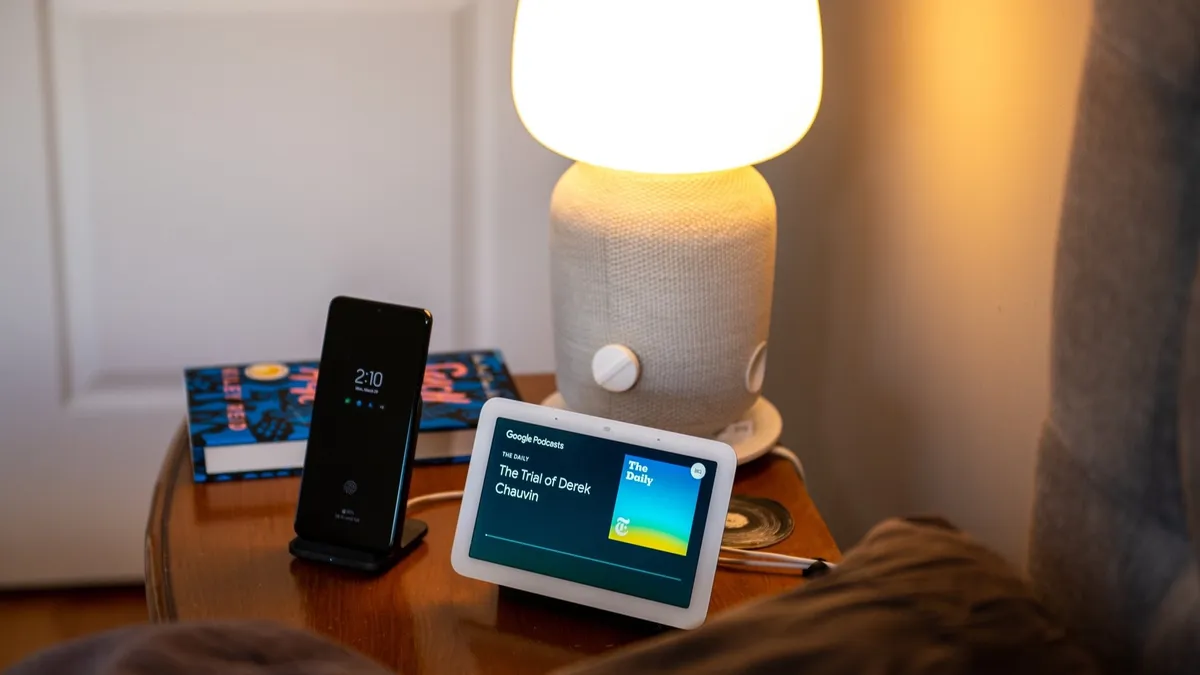
The second generation of Google's Nest Hub might already be years old, but it's still the best smart display you can buy today. Its 7-inch touchscreen is amply bright for sunlit kitchens, and the 1024x600 pixel resolution may seem lackluster, but it's surprisingly crisp when watching YouTube or other videos.
The Ambient EQ light sensor allows the display's color temperature to automatically adjust based on the room's lighting, making it look almost like a picture frame at times. The Nest Hub sounds impressive, too, thanks to its full-range speaker that's great for both music playback and Google Assistant management.
Unlike most smart displays, which feature a camera for video calling, Google swapped that out for a Soli sensor, which you might not recognize unless you were a Pixel 4 fan. Soli sensors can recognize proximity without needing visual input, allowing them to track your sleep quality without pointing a camera at your bed.
If you do want a camera on a Nest Hub and a larger display, the Nest Hub Max is still available, though it's a bit long in the tooth. When considering the entire package with the Nest Hub, it not only qualifies as an excellent smart display, it's also one of the best Google Assistant speakers — period.
Best budget

As the Goldilocks of Amazon's Echo Show lineup, the new Echo Show 8 (2025) should perfectly fit almost any buyer who isn't steeped in the Google ecosystem. It sits right in the middle between the Echo Show 11 and Show 5, giving you a near-perfect balance of features and form while also saving you some money. The redesigned Echo Show 8 (2025) is already discounted even though it launched not long ago.
The larger 8.7-inch screen allows you to easily view content while remaining small enough to fit nicely in just about any room. The resolution is also excellent for the size, making everything nice and crisp without driving up the price too much.
The speakers are just as impressive, with the Show 8 (2025) touting a pair of full-range driver and a dedicated woofer that kick out impressive bass and detail. Rounding out the whole experience are all your usual Alexa voice commands, and a 13MP camera with auto-framing for video chats.
Best large display

There's no denying how great the Nest Hub is, but if you prefer Alexa over Google Assistant, the new Echo Show 11 is the one to get. This replaces the Echo Show 10, but in doing so we also lose the swivel function which made the previous model so unique.
As its name implies, the Echo Show 11 has an excellent 11-inch Full-HD display that makes everything from movies to YouTube videos look phenomenal. The Echo Show's speakers are loud, clear, and kick out an insane amount of bass. So whether you're listening to a podcast or the latest album from your favorite band, these speakers will do your content justice every single time.
Elsewhere, the Echo Show 11 benefits from exquisite build quality, an easy set-up process, and a camera for video calls. Amazon's touchscreen interface for its smart displays doesn't feel as elegant or well-integrated as Google's does, but for anyone in Camp Alexa, this is the smart display to get.
Best small display

If you're not 100% sold on the usefulness or style of a smart speaker, dip your toes in the proverbial pool with a pint-sized package that can either blend in or stand out in the best way. From answering your Ring doorbell to acting as a security camera itself, from queuing up all the lights to setting off a full-on dance party, the Echo Show 5 is like Ginger Rogers. It does everything the Echo Show 8 or 10 can backward and in (tiny) high heels.
Amid a sea of boring black or white smart speakers and displays, the Echo Show 5 actually has a cool Cloud Blue color option this generation — two, if you count the nebula-patterned Show 5 Kids. Its 5.5-inch screen will seem small to many, but this rotund and rounded little smart display displays timers, relay the news, and play both movies and music when your niece demands to hear Moana sing How Far I'll Go for the 1,945th time.
And that soundtrack will sound surprisingly bold, too, as the Amazon Echo Show 5 (3rd Gen) not only swapped in a speaker with beefier bass and voluptuous volume, it flipped it upside down. Now, your music will blast upwards rather than being broadcast face down into your mahogany nightstand. (What a concept!)
You might be wondering why you'd want the Show 5 for $90 when the Echo Show 8 drops to that price every other week, but it just fits into your home and your life in ways that the largest displays just can't. Be it filling the gap between your desktop monitor and the keyboard, perching on an hallway shelf, or sitting front and center on your kitchen counter, the Show 5 checks all the smart display boxes without disrupting your natural flow.
Best detachable
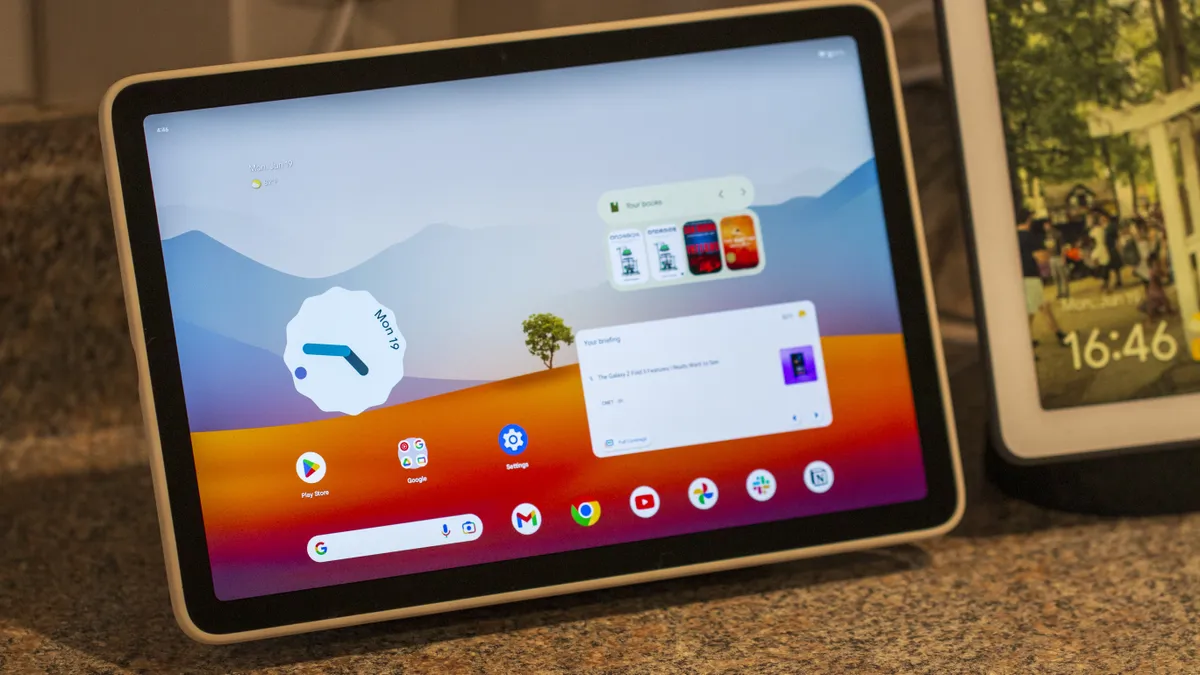
The Google Pixel Tablet is not just a smart display — it's a standalone Android tablet that doubles as one — but that’s primarily how Google designed and marketed it. You can pick it up, use all your favorite apps and games, and then set it back on its magnetic speaker dock to charge and crank up your music.
The magnetism on the dock can take a bit of time to find the right amount of force needed to break the magnetic grip without jerking the base around. Once you do, though, the convenience of just tossing it back on the dock once you're done doomscrolling or YouTube bingeing sparks such joy.
Smart displays have long touted their video calling features, but being stuck in one location while you do it can be a drag. The Pixel Tablet not only allows you to move around the house while you talk to the grandkids over Google Meet, but it also sports much better cameras on both its front and back.
The Tensor G2 powering this array is fine for casual gaming and browsing, but it's by no means made for power users or hardcore gamers. Given that it's a Pixel, you'll get the monthly updates and quarterly feature drops for new features until at least Android 16 and patched security bugs for a few more years after that.
If the tablet/dock scenario is just too clunky for you, there is a 10-inch Nest Hub Max out there. However, I’m loathe to recommend a years-old smart display unless you’re after sound quality. The Nest Hub Max’s audio quality is miles ahead of the Pixel Tablet’s speaker dock.
Best mounted

While smart displays can stream your favorite TV shows or play your music, you probably already have a big screen TV and sound bar for all your audio needs. If you're strictly interested in the Alexa smart home aspect of a smart display or want to save counter space, Amazon's Echo Hub is here for your no-nonsense needs.
Like the Pixel Tablet, this is technically not a smart display — it's a smart home control panel — but the Echo Hub can take your smart home from "neat but annoying" to "this actually feels like the future" with its drop-dead easy interface. The home screen is extra-customizable with its widgets, favorite device groups, and shortcuts to your routines.
With support for Zigbee, Matter, and Thread, the Echo Hub is the only smart hub you should need for all of your favorite smart devices. While it can't preview third-party cameras, you can use it to peek in on your Ring doorbells and cameras. It can still summon your music, podcasts, audiobooks, and more through Alexa, but the speakers here are smaller than the Echo Show 8 to make it sleeker when mounted.
For the privacy-minded folks, there's no camera on this smart display, and it is the only smart display that you could reasonably use with the mics muted all the time. Since you can set it up with access to all your smart devices, you can turn it into essentially an easy-to-read, wall-mounted remote. Speaking of, you don't have to mount the Echo Hub, but its $30 table stand is sold separately.
How to choose
For most device types, you have many factors to consider, from usage to location to specialized specifications. Blessedly, things are much simpler for smart displays: you pick an ecosystem and then a size. You technically can use both Alexa and Assistant in the same home, but you must suffer the agony of setting up every single device, routine, and room twice.
While you might decide to switch platforms for a better variety or upgrade frequency — or maybe you’re just fed up with the issues on one platform or the other — most of us will elect to remain in our chosen ponds. For Google Assistant/Home users, that leaves you with three choices; Alexa users get five (technically six).
Size will mostly be dictated by the intended landing pad for your display, but please take two factors into consideration regarding the screen size you decide on. Don’t underestimate how readable a smart display can be across a room for glanceable info like a timer’s duration, the temperature outside, or someone at your swanky smart doorbell.
While you certainly won’t be making out the blades of grass on a soccer pitch, an Echo Show 5/8 and the 7-inch Nest Hub will hold up perfectly fine in the vast majority of rooms. There’s no need to move up to the Echo Show 11 unless you’re obsessed with audio quality or you absolutely need the larger display.
If you’re after a smart display specifically for smart home control, I’d recommend the Echo Hub only if you’re intending to mount it somewhere. The Echo Show 8 (2025) offers much better audio otherwise. Similarly, the Google Pixel Tablet is a tablet that doubles as a smart display, so the experience there can be a bit clunkier than desired, but for your dad's smart lights and mom's match-three games, it could fit perfectly.